For clinics
The unbilled hour before a clinician can think.
A new patient arrives with NHS printouts, Medichecks and Randox PDFs, hospital letters, a hormone report and a cuff full of readings. Someone reconstructs that history before the consultation can start. Zaynix turns it into a record that is already structured — and already confirmed by the patient.
What the clinic gets
A record you can read, and a patient who can see you reading.
-
The history, already structured
Ten years of a patient’s scattered results arrive as one record: every marker across every lab on one trend, medicines and doses on the same timeline, documents linked to the values they produced.
-
The history, dated as the record has it
Results outside the range printed on the report, medicines and their changes, and the readings the patient took — each dated as the record has it, and each value read from a document linked to its page.
-
Between-visit data you can read
Home blood-pressure readings shown against a fixed reference line (NICE NG136); a 24-hour monitor’s night shown beside the day, never pooled. Logged doses and side effects in the patient’s words.
-
Your notes, your targets, marked as yours
Clinical notes, care targets and administered doses are the clinic’s, carry the clinic’s name and date on both sides, and are never removed — only marked deleted.
-
Accountability, visibly
A clinician’s reads of a patient’s record are logged with the clinician and the patient on the row. The patient can see it. Values read from documents reach the record — and your view of it — only after the patient has confirmed them.
-
Your own front door
A co-branded sign-in page for your clinic — your logo and colours, and Zaynix named on it, because the patient should know who holds the record. Set up on request during onboarding.
The clinician view
Open the record, not a summary of it.
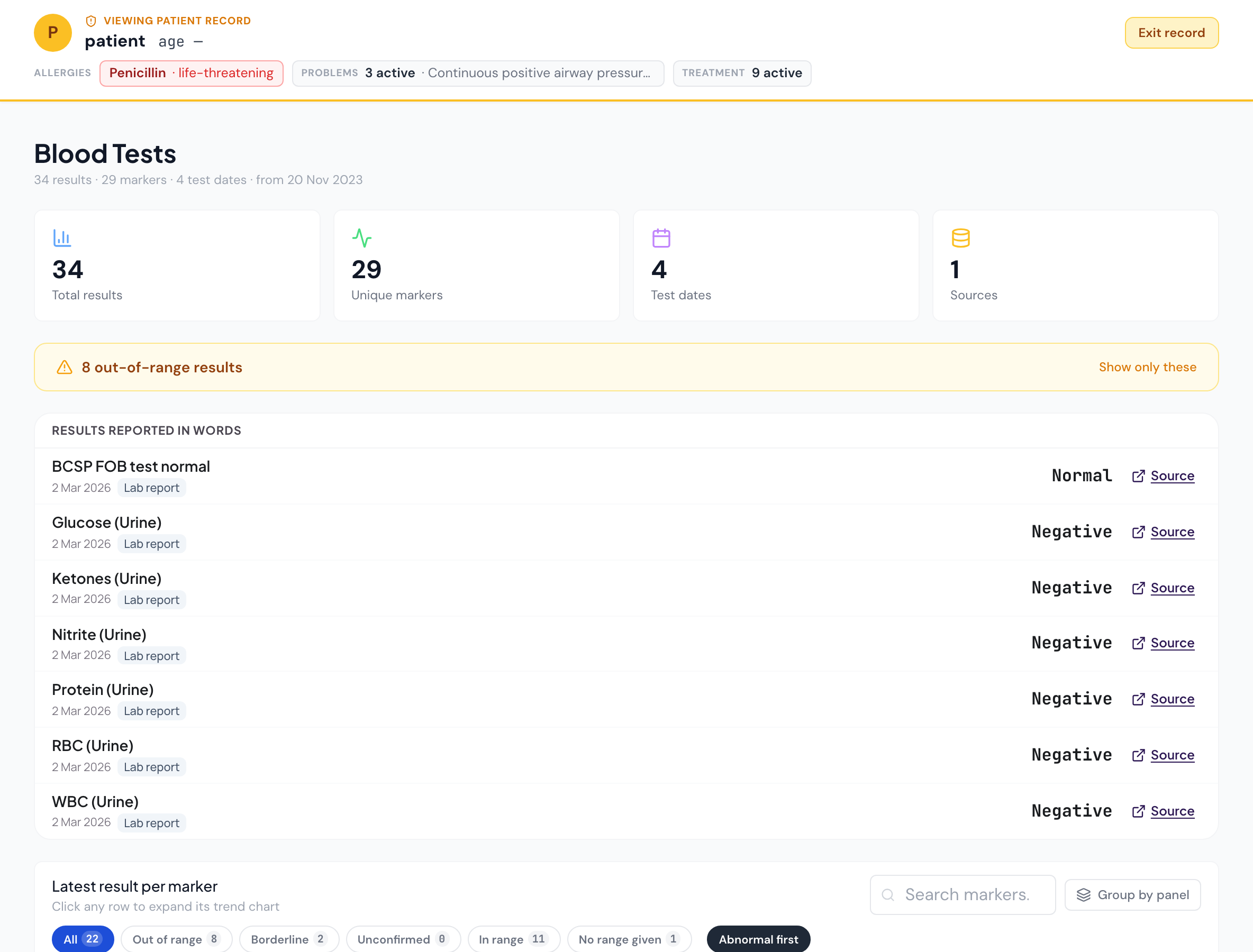
Every page the patient has, with the same numbers. The safety header first — recorded allergies, active problems, active treatment — then the record, with every value read from a document linking to its source.
Where it sits
Alongside what you already use.
You keep your practice-management software, booking and prescribing. Zaynix is the layer that reads results from labs, devices and letters into one patient-owned record and gives your clinicians a view of it — alongside your tools, not inside them.
Sources
Labs, devices, letters
NHS, Medichecks, Randox, TDL, Thriva, hospital letters, Hilo and Aktiia monitors, smart scales, the patient’s own hand
The longitudinal layer
Zaynix Health
Read · staged · confirmed by the patient · one record · the clinician’s view · clinician reads logged
Your tools
Practice software
Semble, Pabau, Cliniko, Charm Health and others — diary, invoicing and prescribing stay where they are. Zaynix does not connect to them today; your clinicians open it beside them. Names are the tools clinics use, not partners.
What Zaynix is not
Four answers that save your team time in the first meeting.
-
Not a medical device.
Zaynix displays and organises what the patient owns. It is not intended to diagnose, prescribe or recommend treatment; clinical judgement stays with your clinicians.
-
Not your practice software.
It sits alongside Semble (including Heydoc), Pabau, Cliniko, Charm Health, Practice Better or whatever runs your diary, invoicing and prescribing — named here as the tools clinics use, not as partners. It is the longitudinal patient-data layer those tools are not, and it does not integrate with them today.
-
Not a black box.
Every extracted value links to the page it came from and keeps the lab’s printed text. Every value is staged for the patient’s confirmation; nothing commits on a confidence score alone.
-
Not a chatbot doctor.
The in-app assistant answers what the patient asks about their own record, sits under a standing notice that it is AI, and is built not to diagnose, classify, or recommend starting or changing any medicine.
The contract
The patient owns the record. The clinic governs its own work.
The patient’s record follows them: they can disconnect from a clinic and keep everything. Your clinic keeps what your clinicians authored. The relationship between you, the patient and Zaynix is set out in a clinic agreement with data-processing terms, signed at onboarding — a contract that defines who is responsible for what, not a slogan.
Export is a feature
The patient exports their record (Article 15) from their Privacy page at any time; the clinic keeps what its clinicians authored in its own records.
Disconnect, keep everything
When a patient leaves, their data is preserved and their plan reverts to what they pay for. Nothing is deleted on a clinic’s say-so.
Nothing is destroyed by a clinic
Clinics archive, never delete. Deletion is the patient’s request or a superuser’s audited act — and a clinician is neither.
Onboarding
Four steps from the first call to a live record.
Pricing is per practice, calibrated to patient volume, and discussed on the first call. No tiers you have to fit into.
- 01
A thirty-minute call
We learn how new patients arrive at your practice and what you reconstruct today. If Zaynix does not fit, we say so on that call.
- 02
Accounts, provisioned
You add a patient or a colleague by e-mail; they receive a set-your-password link, so you always know who is in your clinic.
- 03
The history, moved
Patients upload what they have — or hand it to you to upload. Each document is read, staged and confirmed by the patient before it enters their record.
- 04
Decide on your terms
No long contract. The data is the patient’s and stays with them; what your clinicians authored stays with your clinic per your statutory obligations.
Thirty minutes, no slides unless you ask.
We would rather understand your workflow than show you a product. Tell us a little about your practice when you write — it helps us prepare.