The product
One record, read from the documents a person already has, owned by the person it is about.
Everything below is the product as built, captured on a test patient’s record on our development stack. Nothing is a mock-up.
From a document to the record
Two steps, and the patient takes the second.
A document is read on the server; nothing it contains reaches the record until the patient has reviewed it.
01 — Upload
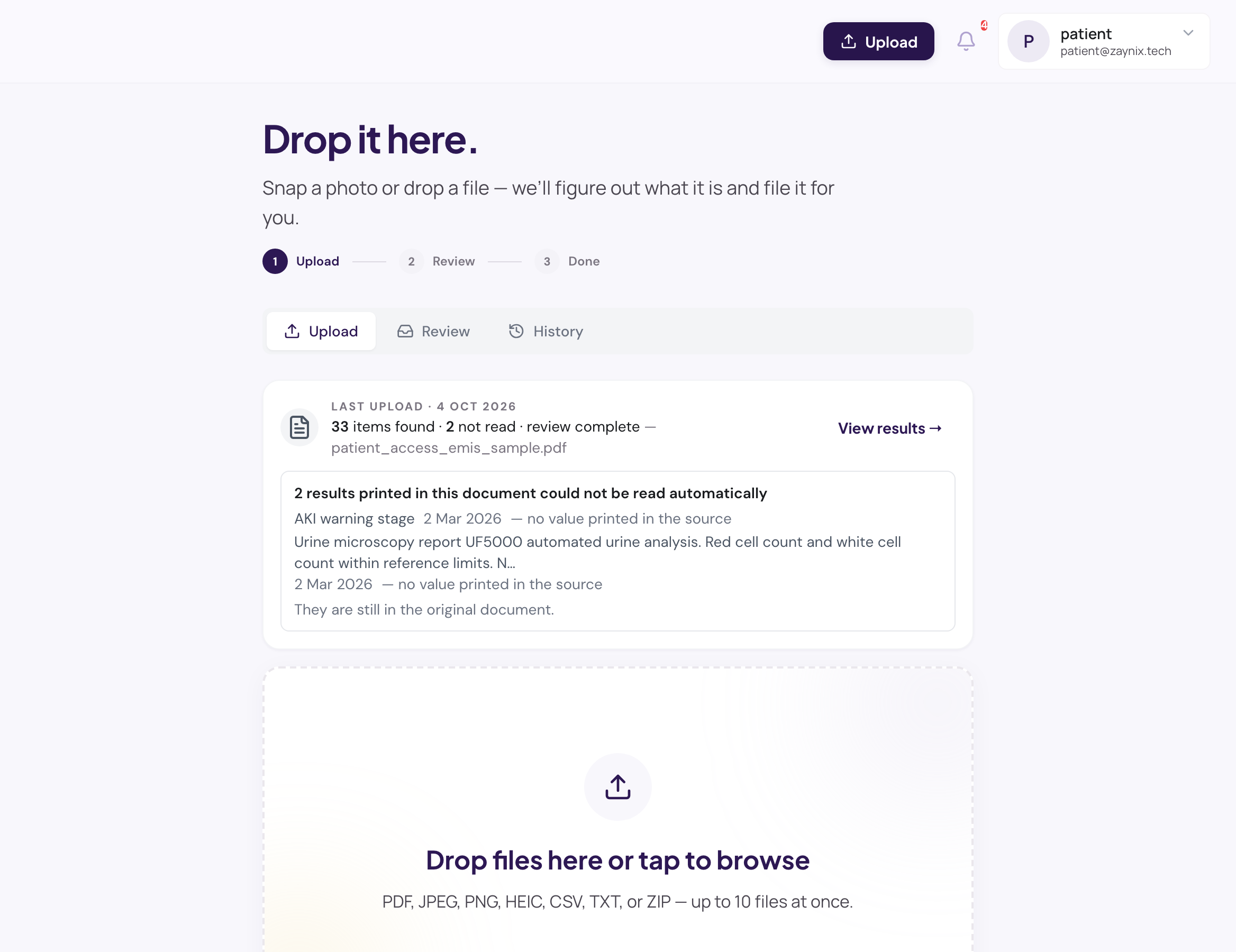
Drop in a PDF, a photo, or a device export.
The reading happens on the server; the patient sees what was found and what was not before deciding anything.
- NHS letters, Medichecks, Randox, TDL, Thriva, private clinic printouts, hospital letters
- A five-stage reading cascade: known layouts first, then vision, then a flexible extraction engine for anything else
- What could not be read is said plainly — per section, with the route it was missing — never silently dropped
- Blood-pressure cuffs and 24-hour monitors (Hilo, Aktiia) import with their day and night labels
02 — Review and confirm
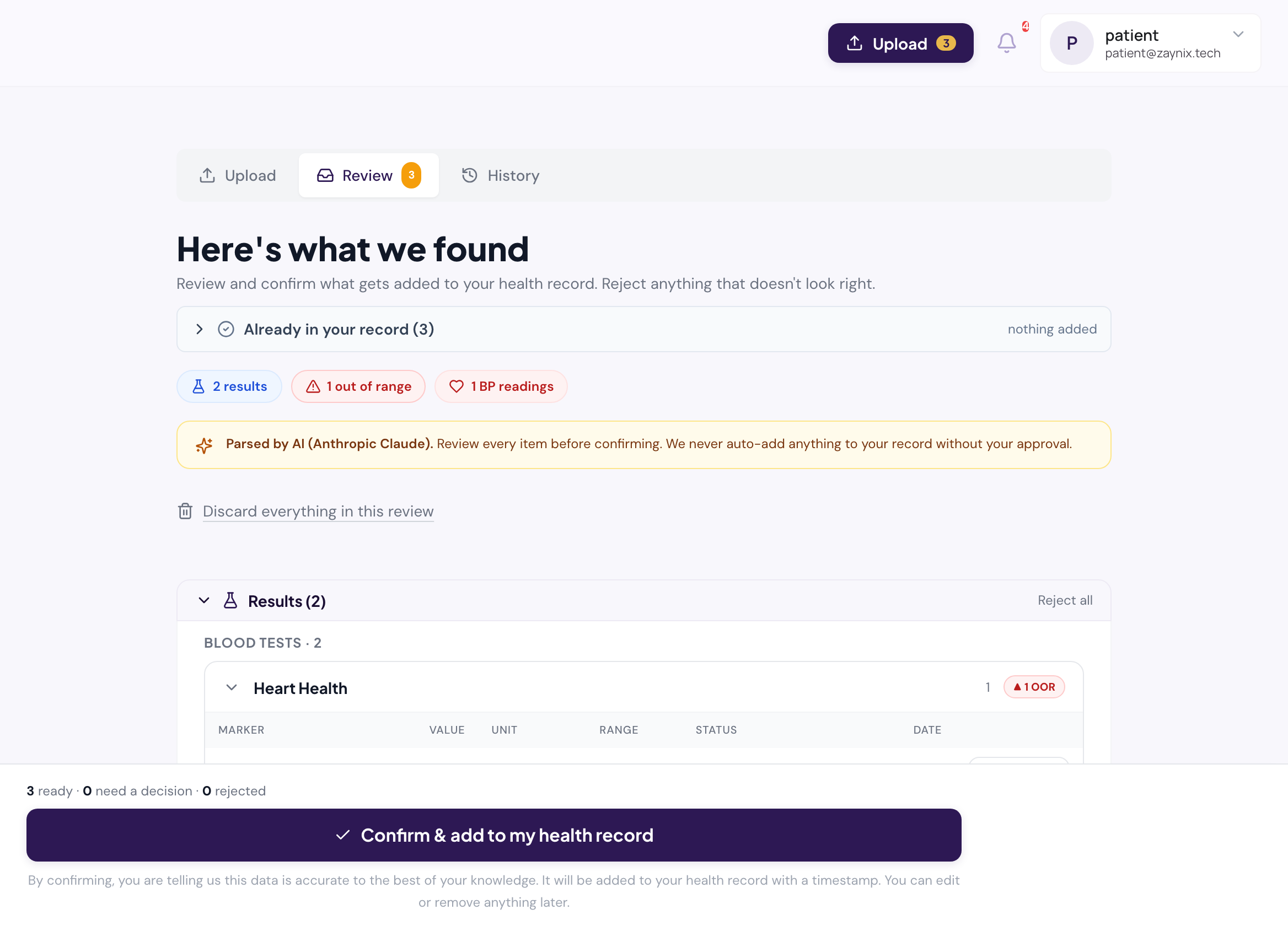
Nothing enters the record until the patient has agreed.
We call this the Patient Confirmation Layer. It is the reason a patient can trust that nothing read from a document was written to their record without them.
- Each proposed value is shown with the page it came from and the lab’s printed text
- Duplicates of what is already in the record are recognised by record and value, and said so
- Accept, correct or discard — individually or everything at once
- A guard on the write path refuses any route that skips the review, in test and in production
03 — The record
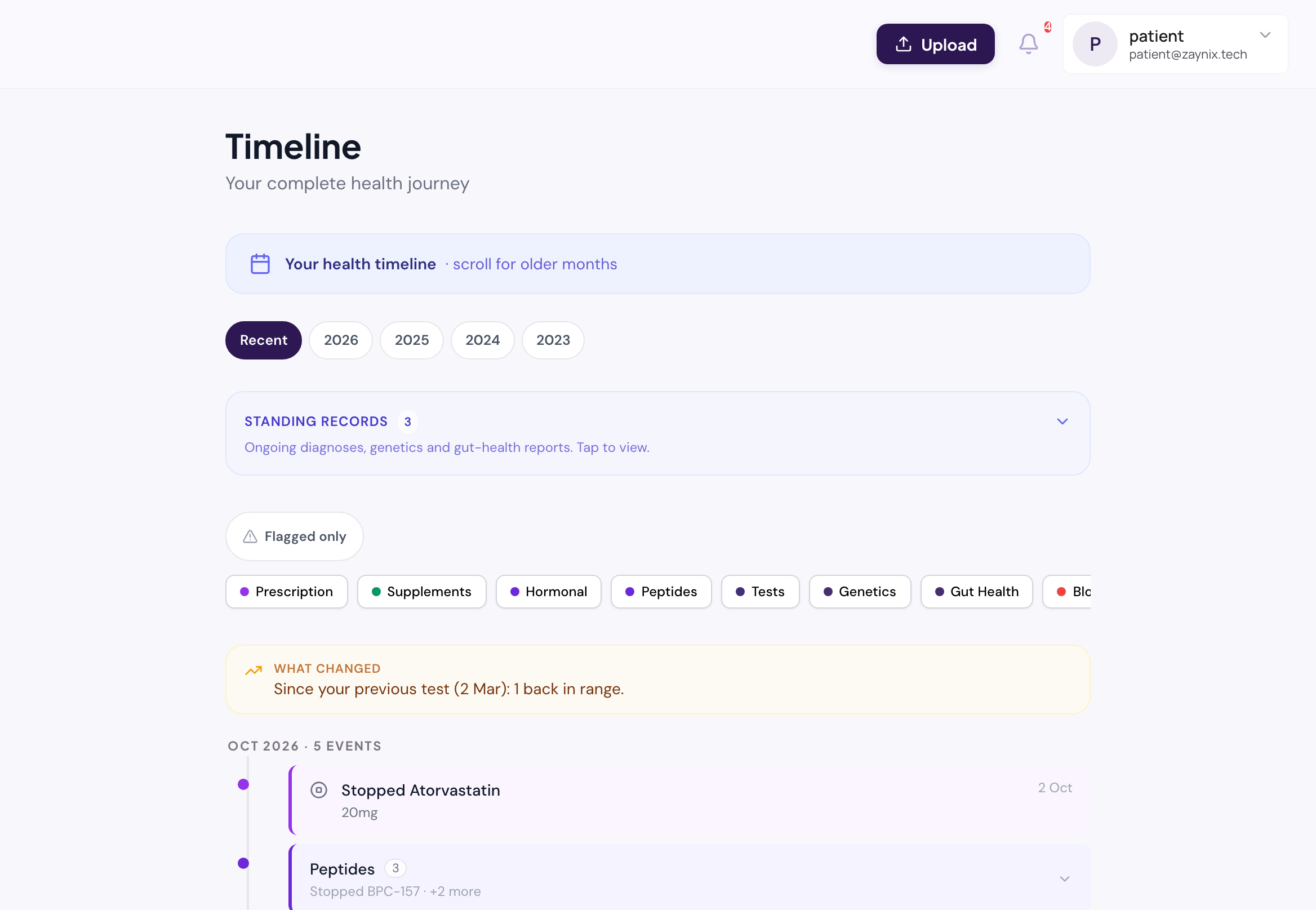
Eighteen kinds of health data, one timeline.
Each category has its own page and its own rules for what counts as a duplicate, how units are shown and what links to what. All of them share one timeline and one audit trail.
- Blood tests
- Blood pressure
- Prescriptions
- Supplements
- Hormones
- Peptides
- Over-the-counter
- Diagnoses
- Body composition
- Clinical notes
- Investigations
- Allergies
- DNA
- Gut microbiome
- Food sensitivity
- Glucose / CGM
- Other health markers
- Documents
04 — Blood tests
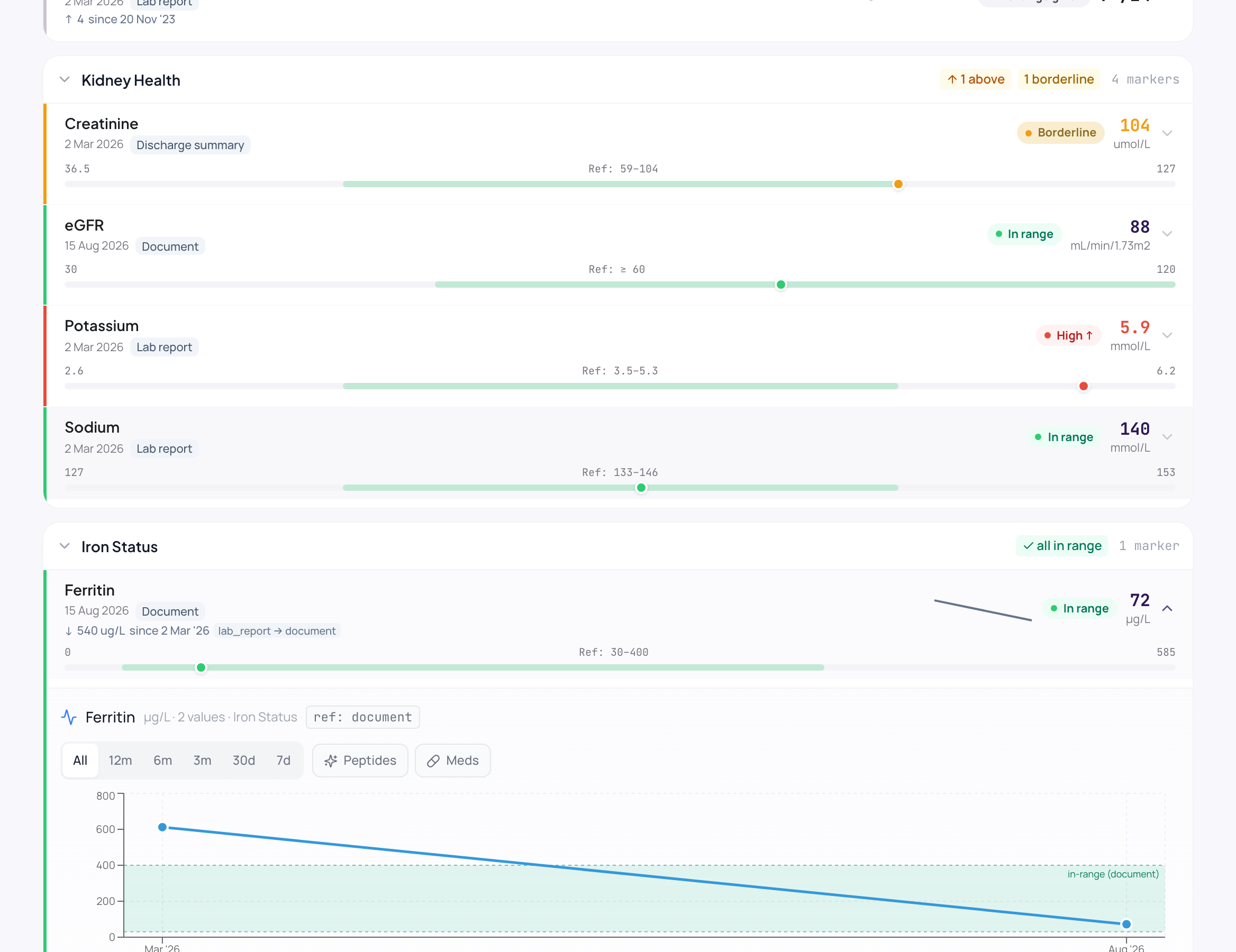
The lab’s number, the lab’s range, the lab’s words.
A trend you will trust in six months depends on boring discipline today. The methodology page explains the terminology work underneath.
- The printed value stays visible even when a unit is converted for the trend
- A result outside the lab’s range is flagged using the lab’s own bounds — including ≤ and ≥ bounds and censored values ("<5"); where the lab’s range could not be read, a general adult range is used and marked as such
- A calculated score (a ratio, a risk score) quotes the lab’s band word, or nothing — never a band of ours
- Markers are matched across labs by concept (LOINC where it exists), so a trend survives a change of provider
05 — Blood pressure
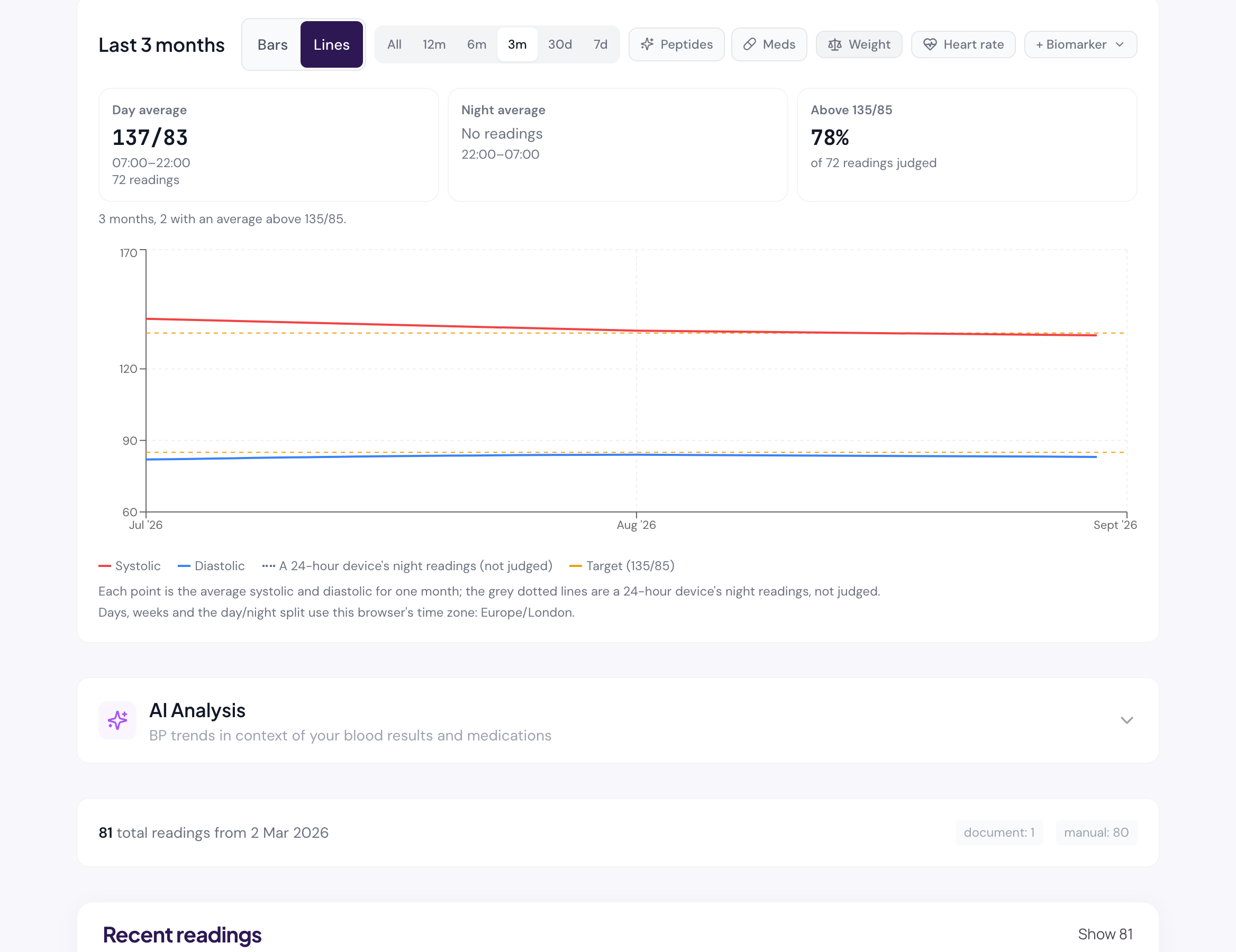
Bars per period, one reference line, the device’s night kept apart.
The Latest card and the home tile speak in plain words — “above target” means above that reference line — never a staging label that belongs to a clinician.
- Readings a person took are compared with a fixed reference line (NICE NG136: 140/90, or 135/85 at home) at any hour
- A 24-hour device’s night readings (22:00–07:00) are shown in grey beside the day — never pooled into the comparison
- Day and night averages, the share of readings above the line, a tapped period listing exactly its readings
- The same rule draws the web chart and the phone chart, replayed against the same generated cases
06 — Medicines, supplements, protocols
Doses as told, dates as said, side effects where the clinician will see them.
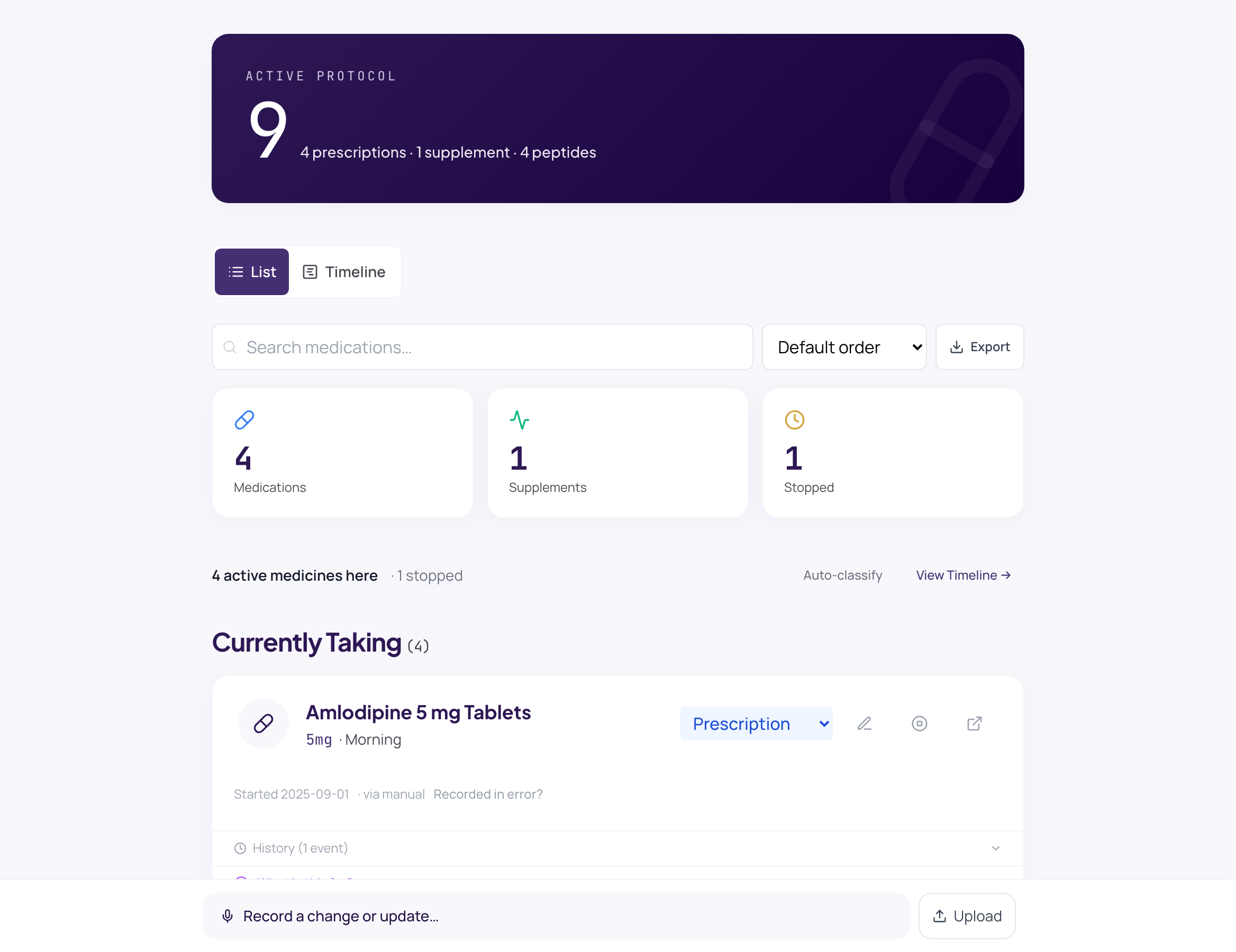
Hand-entered medicines state only what was said. Nothing is dated to the day of entry unless the patient said so. The timeline shows results beside medicine changes; it draws no conclusion about cause.
- One dose writer across the medicine card, the protocol chat and the edit form
- Started, paused, stopped and cancelled are different things and are counted apart
- Titrations and schedules on a timeline, beside the blood results of the same dates
- A logged side effect appears under the same medicine in the clinician’s view
07 — iPhone
A native app for patients, held to the record at the API.
Swift and SwiftUI, patient-only, built from scratch. Parity is judged against the record — the same fields, the same rules — not against the web app’s screens. Health data never touches the phone’s web cache; the record is covered in the app switcher; Face ID opens it.
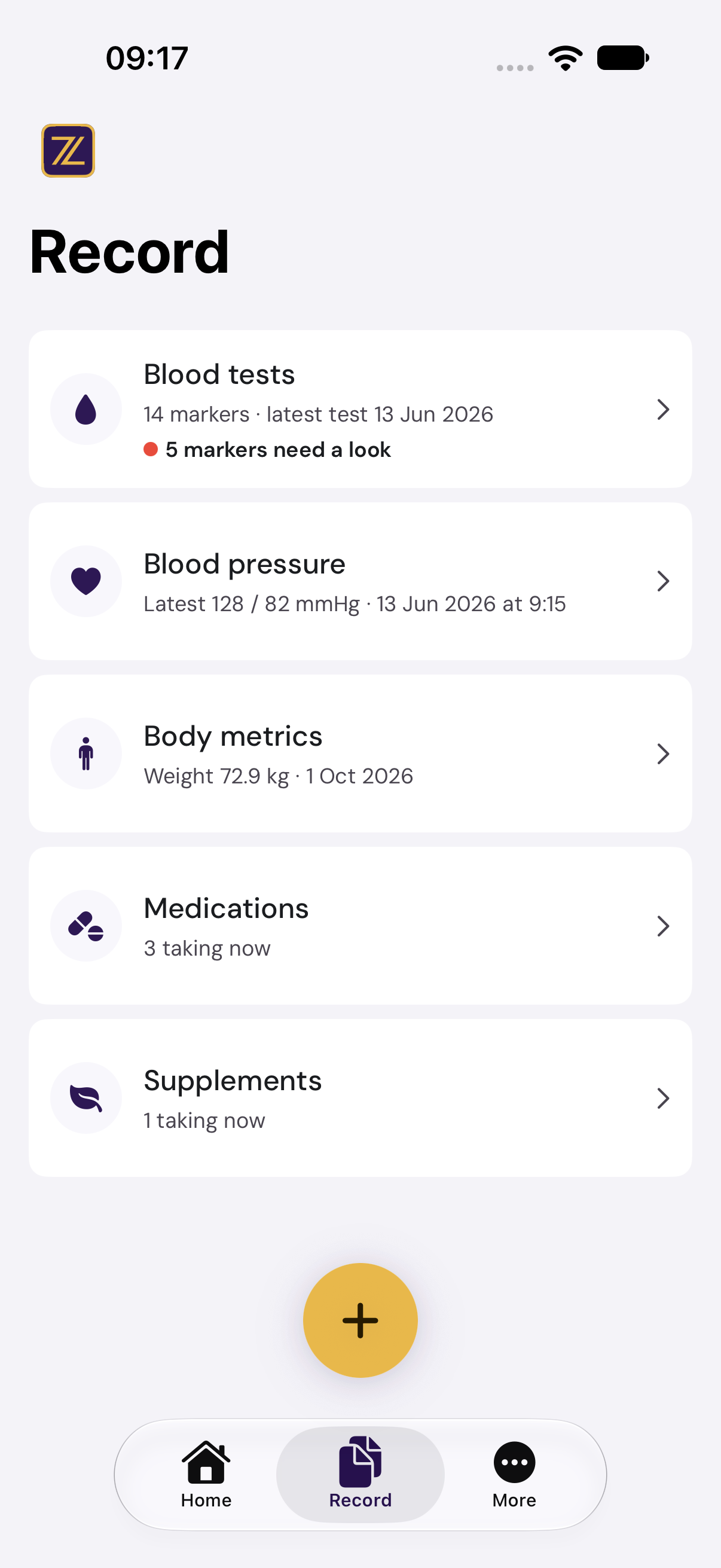
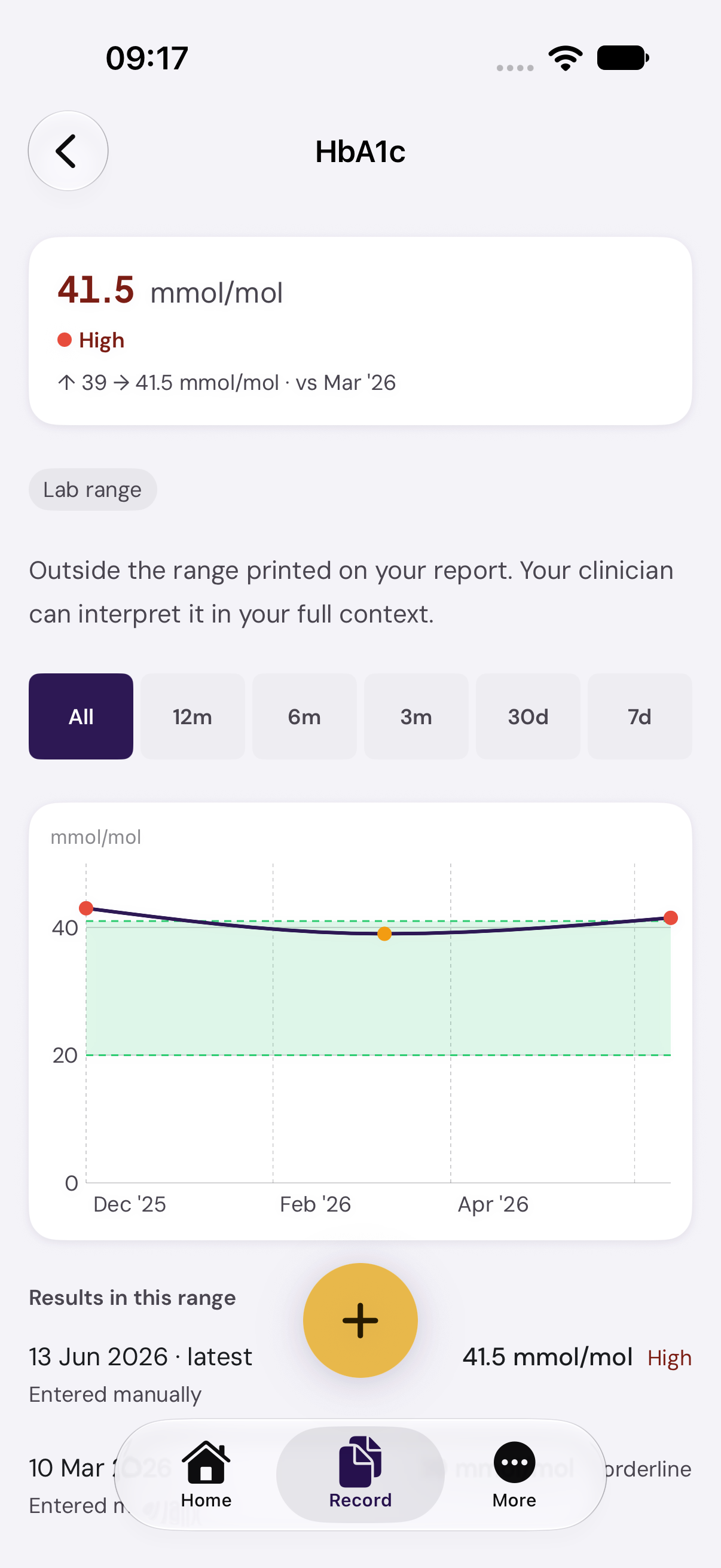
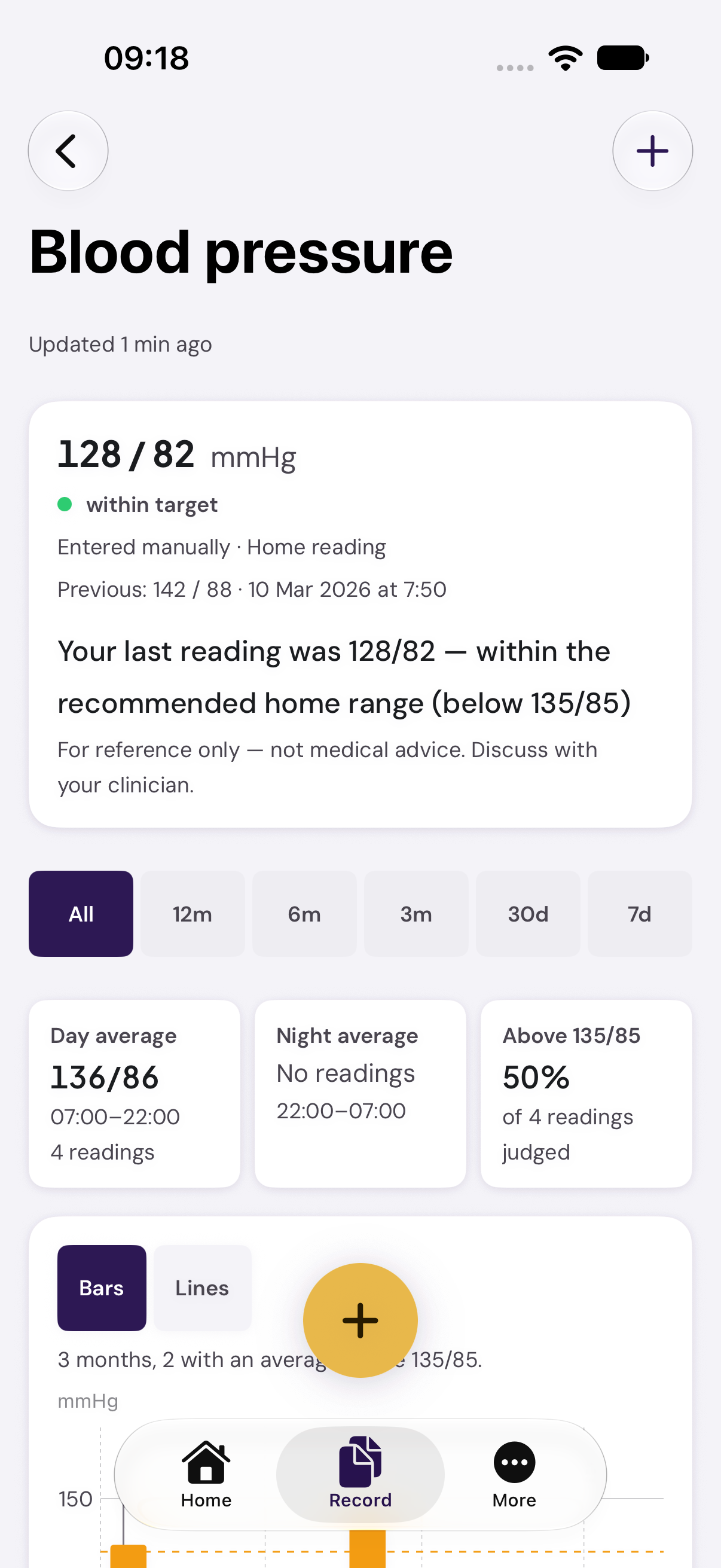
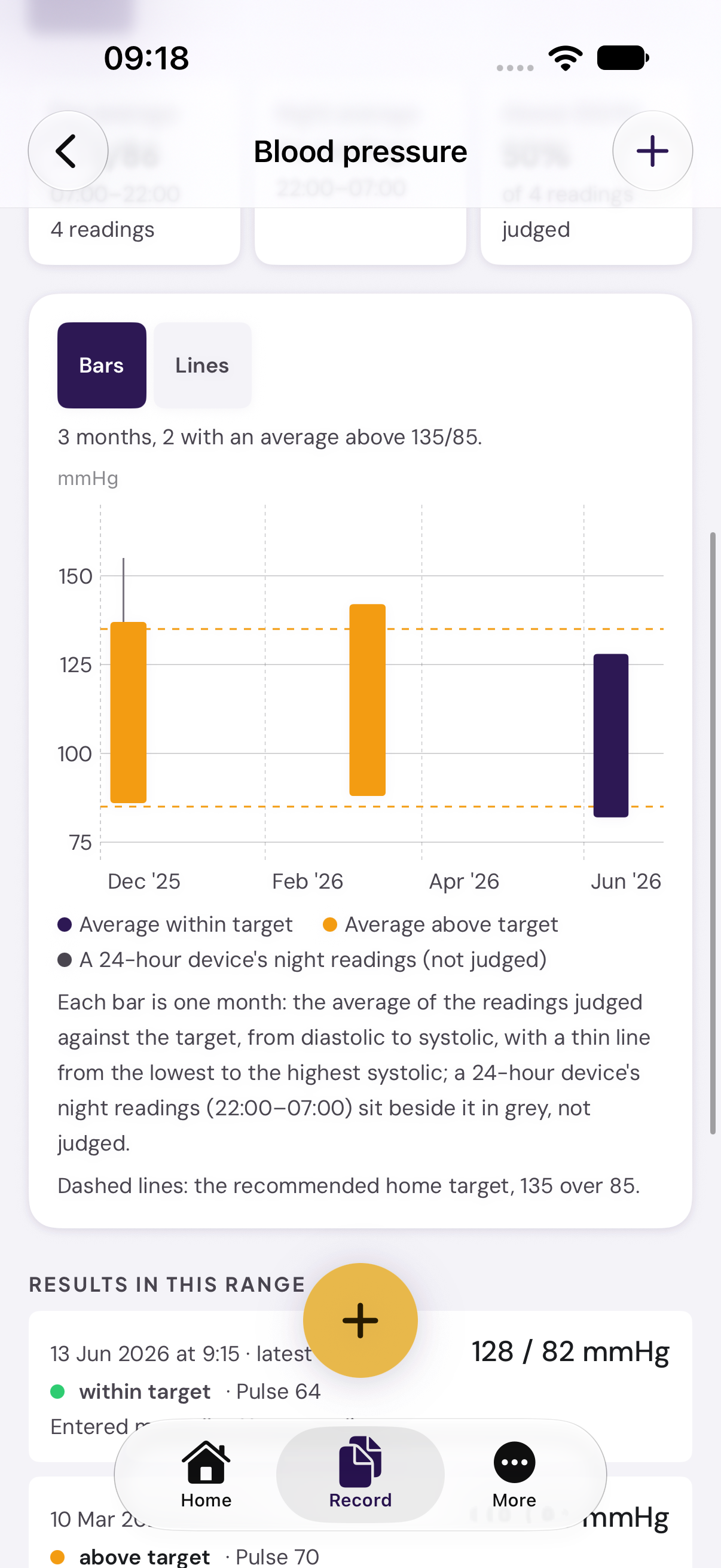
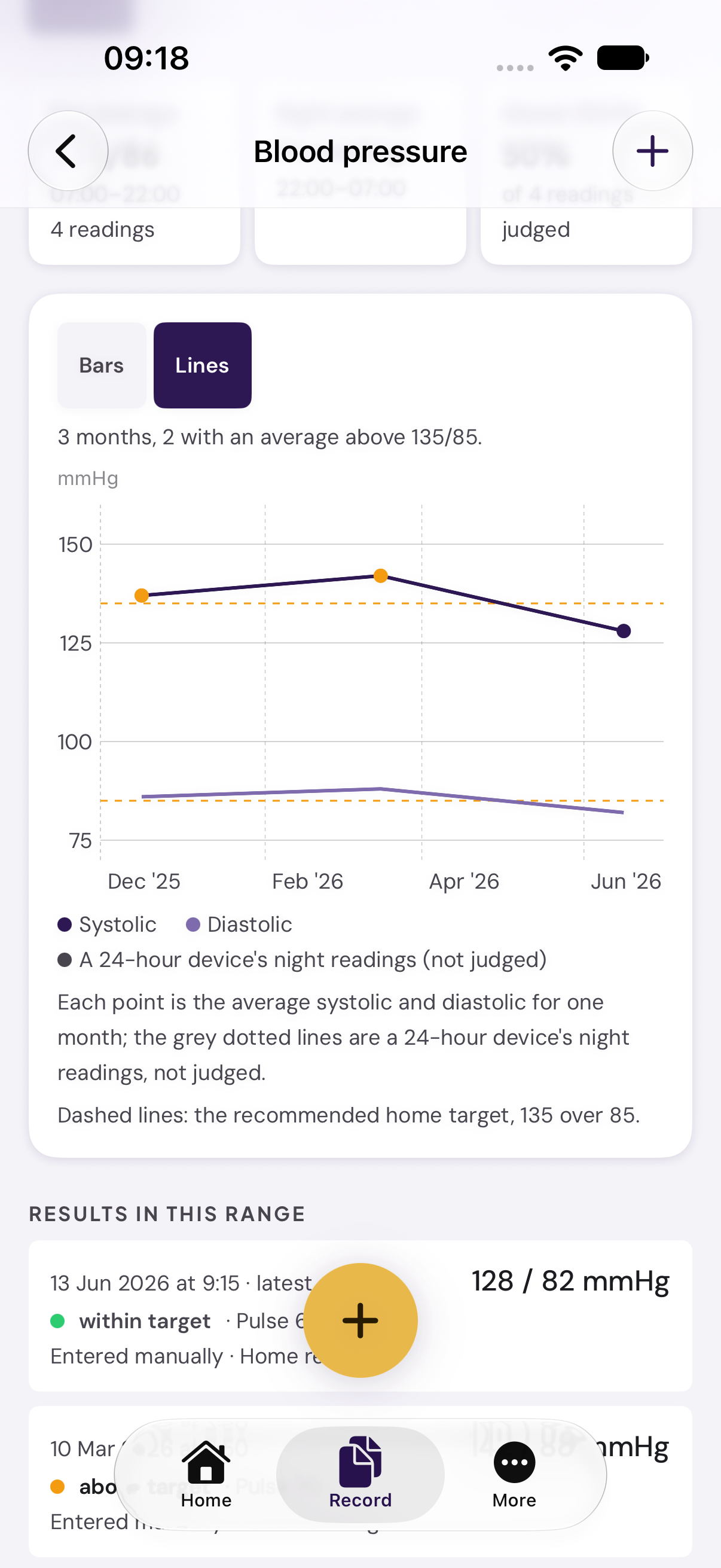
In testing on TestFlight. Captures from the iPhone 18 Pro simulator against the live service.
08 — The clinician
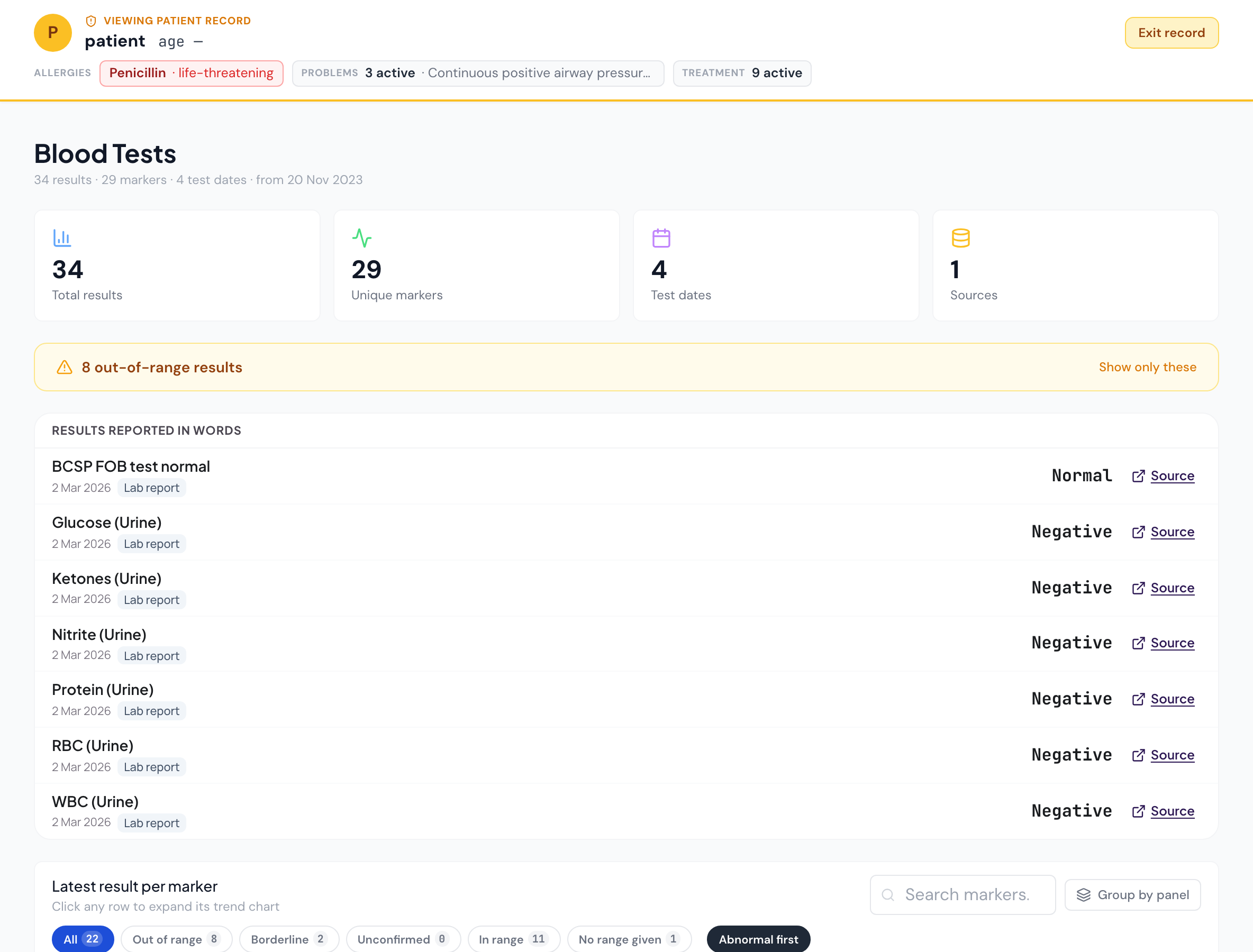
The same record, opened by the clinic — with what the clinic adds marked as the clinic’s.
A connected clinician sees every page the patient sees, with the same numbers, flags and source links. They can author clinical notes, care targets and logged doses. They cannot alter what the patient recorded, and their reads of it are in the patient’s audit log.
-
Reads everything, alters nothing
A clinician can record what the clinic did — notes, letters, targets, logged doses. They can never change the patient’s measurements, results, medicines or identity. If a clinic spots an error, they ask the patient.
-
Honest about what is shown
Lists say "12 most recent of 48". A flag means a value sits outside the range printed on the report, or the standard range where none was printed — "borderline" is marked as such. What was recorded since the last visit is listed as recorded, never as "started" when the record cannot know that.
-
Logged where the patient can see it
A clinician’s reads of a record are logged (one entry per page per 15 minutes) with both the clinician and the patient on the row, and listed in the patient’s Article 15 export.
Getting an account
Through a clinic, or by invitation.
Public sign-up is closed while we open Zaynix Health in stages. Accounts are created by a private clinic for its patients, or by Zaynix. Nothing is on sale to individuals today.
Through your clinic
If your clinic uses Zaynix, it creates your account and you receive an email with a link to set your password. Your record is yours: a clinic can read it, and can never change what you recorded.
By invitation
We open accounts to people on the waiting list as places become available. Join with your name and email address; we use them only to invite you.
Join the waiting listFor clinics
Every connected patient at the full tier, the clinician views, notes and care targets. Priced to the practice and discussed on the first call.
Arrange a callSee it on a real record.
Thirty minutes with the founder, on a demo record, on your questions. No slides unless you ask.